The Lectern Module contains an ATEM Mini as seamless switcher, an Infobeamer Raspberry Pi, an HDMI splitter, a Blackmagic UpDownCross converter as HDMI to SDI converter and a network switch. This page will go into the details how the individual devices are configured.
ATEM Mini
The ATEM Mini will mainly be configured by the pygtk-atem-switcher which is installed on the mixer laptop and configured by the VOC config management.
It will configure the following things when it’s started:
- Input names
- Output resulution and framerate (note: The ATEM Mini will reset itself to 1080p60 when it looses power)
Not auto-configured are:
- Still images
- Audio levels of the HDMI inputs
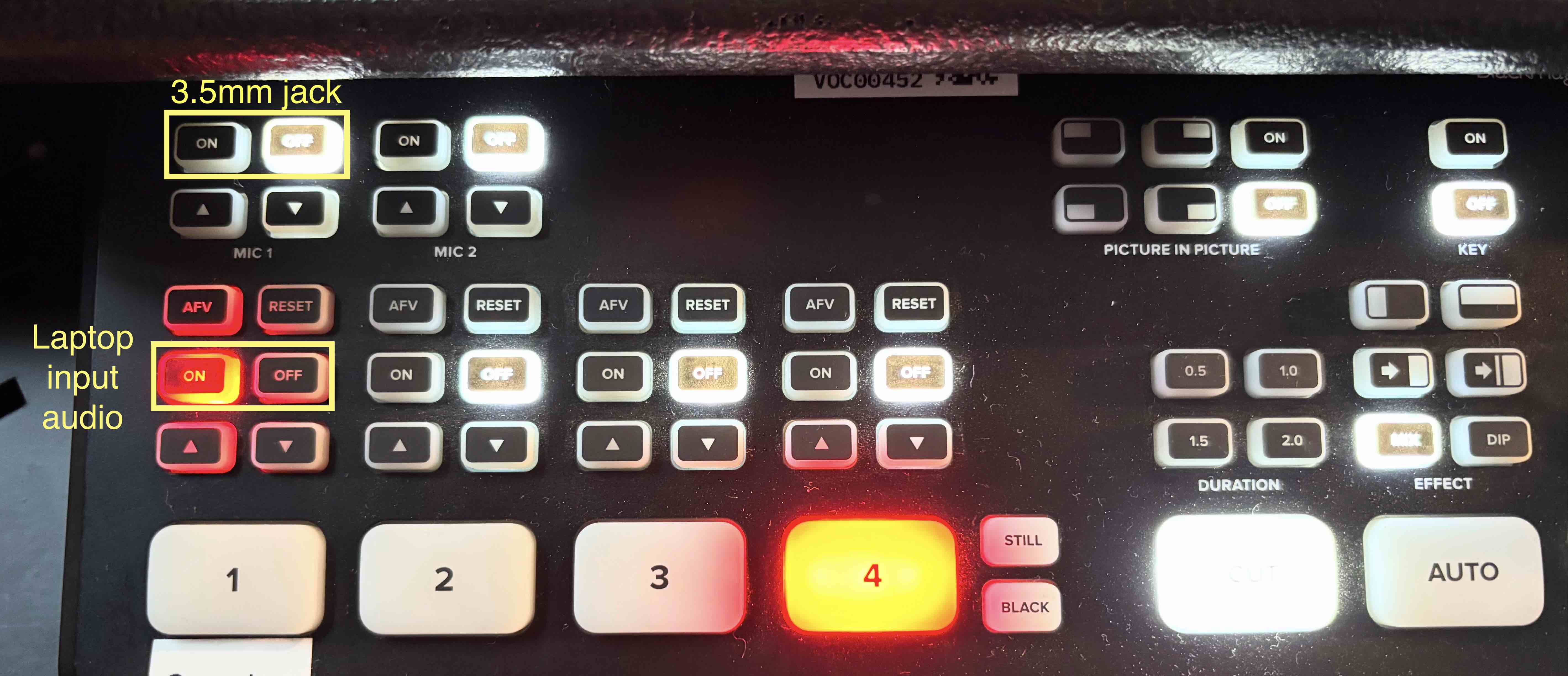
- Audio levels and muting of the 3.5mm stereo-jack inputs
- Configuring the 3.5mm jacks to “line” level (instead of microphone)
Manual default configuration:
- Turn audio on input 1 (speaker’s laptop) on and reset level (“reset” button)
- Turn “MIC 1” (and “MIC 2”) 3.5mm jacks off
- Set analog level to 0 dB gain and 0 dB level (only possible using software control UI)
UpDownCross
The VOC records in 1080x1920px at 25fps, so all input signals to the recording shall also be at this resolution and frame rate. However, some projectors or displays don’t like 25fps, so we set the output of the ATEM Mini to 50fps and use the Blackmagic UpDownCross for the framerate conversion as well as converting the signal from HDMI to SDI.
The DIP switches should be set to 1080p25. (TODO: Image of the UDC DIP switches)
Infobeamer
The Raspberry Pi is configured with the Infobeamer SD card image and registered at the VOC account. Additional settings are:
- Static IP (
10.73.x.4/16, according to case number) - Router at
10.73.0.254